

How to Use the HondaLink App
Whether you have a smartphone or an Alexa-enabled device, the HondaLink app lets you remotely control an impressive array of features through your vehicle’s infotainment system. This exciting innovation delivers the connectivity you need and the convenience you demand. Use our guide below to learn more about this outstanding amenity and discover which HondaLink package is right for your budget and lifestyle.
What Is the HondaLink App?
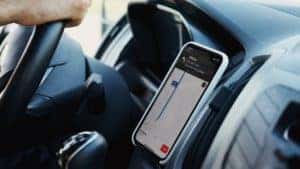
Close-up of the Directions on a Smartphone by Artem Podrez is licensed with Pexels License
If you’ve been shopping around for a new Honda vehicle, you’ve probably noticed that most models now feature the HondaLink App standard. This revolutionary tool helps you stay connected with friends and family through your Honda vehicle’s infotainment system. You can use it to make hands-free calls, stream music, or access your favorite apps. But that’s just the beginning of what this amenity can do. You’ll get more out of your vehicle’s technology package with convenient features like:
- Alexa: Send commands to your Honda with Amazon Alexa.
- Driver Feedback: Connect and receive discounts based on your good driving habits.
- In-Vehicle Wi-Fi: With AT&T, you can turn your Honda into a Wi-Fi hotspot.
HondaLink’s Basic Features
Many shoppers are satisfied with the HondaLink App’s basic package. The manufacturer has packed it with features you can use to access important information about your vehicle. In addition, you’ll have the power to control loads of capabilities right from the palm of your hand, including:
- Vehicle Guides: Access digital guides like your owner’s manual to learn more about your vehicle’s operational and routine maintenance recommendations.
- Recall Notifications: Honda’s dedication to safety shows; it uses this app to notify owners like you of important recalls for registered vehicles.
- Service Appointments: Use this feature to find a conveniently located Honda dealership in the Cleveland Heights area and book a service appointment.
- Roadside Assistance: Get 24/7 assistance for towing and services such as a jump-start, tire change, or fuel delivery as part of your new vehicle’s 3-year or 36,000-mile warranty.
HondaLink’s Link Package
What else can this revolutionary technology do? Move up to the Advanced link package and discover more. You’ll have the ability to monitor your Honda and customize settings with sophisticated features like:
- Dashboard: Check mileage, fuel range, and oil life estimates anywhere with your paired device.
- Vehicle Notifications: Receive notifications about operational issues and maintenance reminders.
- Vehicle Health Report: Stay ahead of a breakdown with monthly status reports right in your inbox.
- Favorites: Save favorite locations and access them in your car with Honda’s in-vehicle navigation system.
- Send Destination: Use the app to send your location to the vehicle’s navigation system (when equipped).
HondaLink’s Security Package
While Honda offers the Basic and Link packages for free, some packages, such as the Security option, require a paid subscription. But don’t worry. You’ll get an entire year of free service when you buy a new Honda from a qualified dealership like Honda of Cleveland Heights. If you like it, it may be worth the cost going forward. You’ll enjoy more peace of mind with features that can help you if you’re in need, such as:
- Automatic Collision Notification: If you’re in a crash, a live agent will check on you and request on-scene emergency assistance when you need it.
- Enhanced Roadside Assistance: With the touch of a button, you can get towing and repair services roadside.
- Emergency Call: In an emergency, a live agent will request help and stay on the call with you until it arrives.
- Personal Data Wipe: Easily restore your navigation and audio system to Honda’s factory default settings.
- Driver Feedback: Find out what your driving score is to earn discounts.
HondaLink’s Remote Package
Move up to HondaLink’s Remote package, and you’ll effortlessly accomplish a variety of tasks with this subscription-based service, no matter where you are. You’ll receive a complimentary, three-month trial on newly purchased or leased automobiles and unlock even more convenient connectivity features like:
- Remote Start: Make sure your Honda’s cabin is comfortable for your passengers by starting the climate control system ahead of time.
- Security Alarm Alert: Receive notifications if something triggers your vehicle’s alarm.
- Remote Lock & Unlock: Use the app to lock or unlock your car doors remotely.
- Find My Car: Locate your vehicle’s parking location with the app’s display and never lose it again.
- Geofence Alert: If you’re a parent, you can receive an alert if your teenager enters or leaves a set region.
- Destination by Voice: Use your voice and the Interactive Voice Response system to search for destinations and send directions to your navigation system.
- Stolen Vehicle Locator: Use state-of-the-art technology to help police find your car if someone steals it.
- Amazon Alexa Skill: Take advantage of Amazon Alexa to send commands to your vehicle.
Add a Personal Concierge to HondaLink
Enjoy all the convenient features of HondaLink’s Remote package plus the attention of a personal concierge. This service takes on-the-go convenience to a new level by connecting you with an expert concierge. Enjoy the luxury of a professional assistant to help you make and confirm all your hotel, restaurant, and airline reservations while you drive. Confirmation and navigation information will be sent to your Honda car or SUV.
How To Connect to the HondaLink App
HondaLink’s activation process is as simple and intuitive as the technology itself. Just follow these seven easy steps:
- Download the HondaLink app on your Android or Apple smartphone.
- Open the app.
- Enter your Honda’s Vehicle Identification Number.
- Create a new Honda account or log in.
- Follow the prompts and pair the app with your car.
- Select the HondaLink icon on your infotainment display’s home screen.
- Your HondaLink app is ready to use.
Which Vehicles Offer HondaLink?
Honda first made this high-tech tool available in 2013. Most newer vehicles, including the following 2022 models, come with HondaLink:
- Odyssey.
- Accord.
- Civic.
- Clarity Plug-In Hybrid.
- Insight.
- Fit.
- CR-V.
- HR-V.
- Pilot.
- Ridgeline.
Now that you know everything it offers, why not download the HondaLink app and connect today? If you still have questions about what this revolutionary technology can do, contact us at Honda of Cleveland Heights. Our expert service team can help you problem-solve over the phone. Or come into our state-of-the-art showroom so you can learn how Honda’s features can help you enjoy the ride.
0 comment(s) so far on How to Use the HondaLink App