

Honda Key Fob Battery Replacement and Programming
When the battery on your Honda keyless remote fob runs low, it’s important to change it to keep your fob functioning properly. If you’ve seen a warning light on your vehicle telling you to replace your key’s battery, we’re here to help. Our team of service professionals at Honda of Cleveland Heights is happy to assist with all your key fob needs, but here’s some key information that can help you get started on your own. Here, we’ll explain all the steps it takes to get your key working properly again.
What Is the Honda Key Fob?
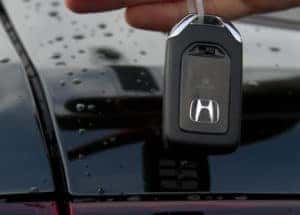
The Honda Key Fob is a keyless remote device that typically uses battery power from a flat, three-volt circular battery. This device
allows you to perform functions including unlocking and locking your car, sounding the car alarm, opening the trunk, and, in select vehicles, starting your engine remotely. The batteries on a Honda key fob typically last for about a year before requiring replacement.
Your exact key fob can depend on your car’s model and the packages you chose for your vehicle, but most Hondas use the same fob regardless of whether you drive a CRV, Accord, Pilot, Civic, or any other Honda model. The fob often contains a physical key, which you can use to lock and unlock your car manually or start your vehicle if you don’t have a push-start engine.
How To Replace a Honda Key Fob Battery
Most key fobs use the same three-volt battery. You can often find these batteries at hardware stores, but we also have them available at our parts center for easy access and assistance. Look for a battery that has a flat, circular shape. Note that if you have multiple key fobs and you get a warning light for a low battery, replacing the battery on just one fob might mean you still see an error for the other if it also has a low battery and is in range of the car’s sensor.
When you’re ready to replace the battery of your Honda key, here are some simple steps you can take:
Remove the Key
To remove the emergency key from your key fob, turn the fob over to reveal the blank side with the Honda logo. Press the button near the key ring attachment while pulling up on the silver top until the key comes out. This should leave you with the key separate from the rest of the remote. You can use the key in emergencies to access your car if your fob runs out of battery entirely or if your vehicle has no power.
Open the Fob
At the exposed fob top, you’ll see two plastic pieces in the middle of the fob with a key-sized space between them. Wedge the top of your key into this space, inserting it between the two pieces. Then, twist the key, applying just enough pressure to open the fob’s case. This should divide the key into two pieces: a front and a back.
Remove the Old Battery
Find the battery on one of the key fob pieces. It’s often silver, flat, and shaped like a circle. Make a note of the battery you need so you can replace it with the right type. Almost every Honda key uses the same three-volt battery. You can use a flathead screwdriver to get the old battery out easily.
Replace the Battery
Remove the old battery and insert a new one using the same battery type as the original. You can get the specific battery size from a big box store or most hardware stores. Of course, if you can’t find the battery or have questions about the process, we carry these batteries in our parts centers and are more than happy to help you with your battery replacement.
Reassemble Your Fob
Repeat the steps you followed in reverse order to return your fob to its original appearance and function. Put the two fob pieces back together, ensuring they’re aligned correctly, and re-insert the key. Test the key to confirm it works correctly.
How To Program a Honda Key Fob
Programming your key to work with the door locks is important to ensure you don’t set your vehicle’s alarm. While it’s possible to program the key with the alarm sounding, completing this process beforehand is often less stressful. With the battery replaced, program your key so that it works with your door locks by following these steps:
Insert the Key
Step one is to insert the key into the ignition. Turn the key to the “On” position so that the lights and accessories turn on, but don’t turn the engine over to start your vehicle. Wait a moment with the key in the “On” position. You might hear beeping from your vehicle, which is fine if you wait a moment before proceeding to the next step.
Press the Lock Button
With the key in the “On” position, press and hold the lock button for about a second. When you’ve finished, return the key to the off position. Wait about a second between each of these steps.
Repeat
Repeat the above process four times, waiting a second between each step. You’ll hear your car lock on the fourth iteration, signaling you’ve completed the programming process and paired your key successfully. If you have additional keys to program, you can insert them now because the vehicle is already in programming mode, so you won’t have to repeat the process for each key. Open and close your car door and check to make sure the key works successfully.
Replacing your battery and programming your key is simple and often takes less than a few minutes to complete. We hope this information helps you perform this action easily on your own, but contact us if you run into issues. Our dedicated parts team and service associates are always nearby to answer questions, advise on parts, or complete the service for you so you can get your Honda and key running smoothly in no time.
car keys to a new Honda by Yonkers Honda is licensed with CC BY-SA 2.0